AI-Powered VS Code Extensions: Which is Best for Developers?
AI-Powered VS Code Extensions
Introduction
Artificial Intelligence (AI) has made significant strides in software development, enhancing productivity and code quality. Among the tools available, AI-powered Visual Studio Code (VS Code) extensions stand out for their ability to assist developers in writing, debugging, and optimizing code. This blog provides a detailed comparison of the top AI-powered VS Code extensions, their features, pricing, pros and cons, and a comparison with ChatGPT.
1. GitHub Copilot

-
Description: GitHub Copilot, developed by GitHub and OpenAI, is an AI pair programmer that helps you write code faster by suggesting entire lines or blocks of code as you type.
-
Features:
-
Context-aware code suggestions.
-
Supports a wide range of programming languages.
-
Seamless integration with VS Code.
-
-
Pricing:
-
Free during the technical preview phase.
-
Individual plan: $10/month or $100/year.
-
Business plan: $19/user/month.
-
-
Pros:
-
Highly accurate and context-aware suggestions.
-
Supports multiple languages and frameworks.
-
-
Cons:
-
Privacy and security concerns.
-
Occasionally suggests outdated or suboptimal code patterns.
-
2. Tabnine

-
Description: Tabnine uses machine learning to provide intelligent code completions and integrates with various editors, including VS Code.
-
Features:
-
AI-driven code completions based on context.
-
Supports multiple programming languages.
-
Offline capabilities.
-
-
Pricing:
-
Free basic version.
-
Pro version: $12/month or $8.25/month (billed annually).
-
Business version: Custom pricing.
-
-
Pros:
-
Fast and responsive code suggestions.
-
Offline functionality ensures privacy.
-
-
Cons:
-
Limited features in the free version.
-
Occasionally irrelevant suggestions.
-
3. IntelliCode

-
Description: Developed by Microsoft, IntelliCode provides AI-assisted code recommendations based on best practices from real-world codebases.
-
Features:
-
Context-aware code completions.
-
Recommendations based on best practices.
-
Supports multiple programming languages.
-
-
Pricing:
- Free as part of the Visual Studio Code extension marketplace.
-
Pros:
-
Seamless integration with VS Code.
-
Recommendations based on widely accepted best practices.
-
-
Cons:
-
Limited to languages supported by Microsoft.
-
Less aggressive in suggestions compared to others.
-
Comparison with ChatGPT

Overview of ChatGPT's Capabilities
ChatGPT, developed by OpenAI, is a powerful language model capable of understanding and generating human-like text. While it’s not specifically designed for coding, it can provide coding assistance by generating code snippets, explaining concepts, and answering questions.
Differences from VS Code Extensions
-
Integration: Unlike VS Code extensions, ChatGPT does not integrate directly with the editor. Users typically interact with it through a web interface or API.
-
Context Awareness: While VS Code extensions offer in-context suggestions, ChatGPT relies on the input provided during the conversation, which may require more effort to maintain context.
-
Use Case: ChatGPT excels at providing explanations, solving complex queries, and generating code from scratch, whereas VS Code extensions are more about assisting during the coding process with real-time suggestions.
Pros and Cons of Using ChatGPT
-
Pros:
-
Can handle a wide range of queries beyond just coding.
-
Provides detailed explanations and can generate complex code snippets.
-
Accessible via various interfaces.
-
-
Cons:
-
Lacks direct integration with code editors.
-
Context management can be cumbersome.
-
Requires internet connectivity.
-
Final Comparison and Recommendation
Summary of Findings
-
GitHub Copilot: Best for comprehensive code suggestions but has privacy concerns.
-
Tabnine: Great for offline use and fast completions but limited in the free version.
-
IntelliCode: Excellent for best practices but limited to certain languages.
Recommendations
-
For Comprehensive Code Suggestions: GitHub Copilot is ideal for those who want detailed and context-aware completions.
-
For Privacy-Conscious Developers: Tabnine is the best option due to its offline capabilities.
-
For Microsoft Ecosystem Users: IntelliCode integrates seamlessly with VS Code and provides practical suggestions.
When comparing these to ChatGPT, it’s clear that while ChatGPT offers extensive capabilities, it’s not as integrated or context-aware as the VS Code extensions. ChatGPT is better suited for complex problem-solving and generating explanations or snippets outside the coding environment.
Comparison Table
| Feature/Extension | GitHub Copilot | Tabnine | IntelliCode | ChatGPT |
|---|---|---|---|---|
| Integration | Direct integration with VS Code | Direct integration with VS Code | Direct integration with VS Code | Web interface or API |
| Context Awareness | High | Moderate | Moderate | Very High but depends on input |
| Languages Supported | Multiple | Multiple | Multiple | Multiple |
| Pricing | $10/month (Individual), $19/user/month (Business) | Free (Basic), $12/month (Pro) | Free | Free (Basic), $20/month (Plus), $25/month (Team) |
| Offline Capabilities | No | Yes | No | No |
| Pros | Highly accurate suggestions | Fast and responsive | Based on best practices | Wide range of capabilities |
| Cons | Privacy concerns | Limited free version | Limited to supported languages | Not directly integrated with editors |
Conclusion
The choice of AI-powered coding assistants largely depends on your specific needs and preferences. While VS Code extensions like GitHub Copilot, Tabnine, and IntelliCode provide real-time assistance within the coding environment, ChatGPT offers a broader range of capabilities that can complement these tools. By understanding the strengths and limitations of each, developers can leverage the best tools to enhance their productivity and code quality.
Subscribe to my newsletter
Read articles from Tech With Asim | Learn, Build, Lead directly inside your inbox. Subscribe to the newsletter, and don't miss out.
More Articles
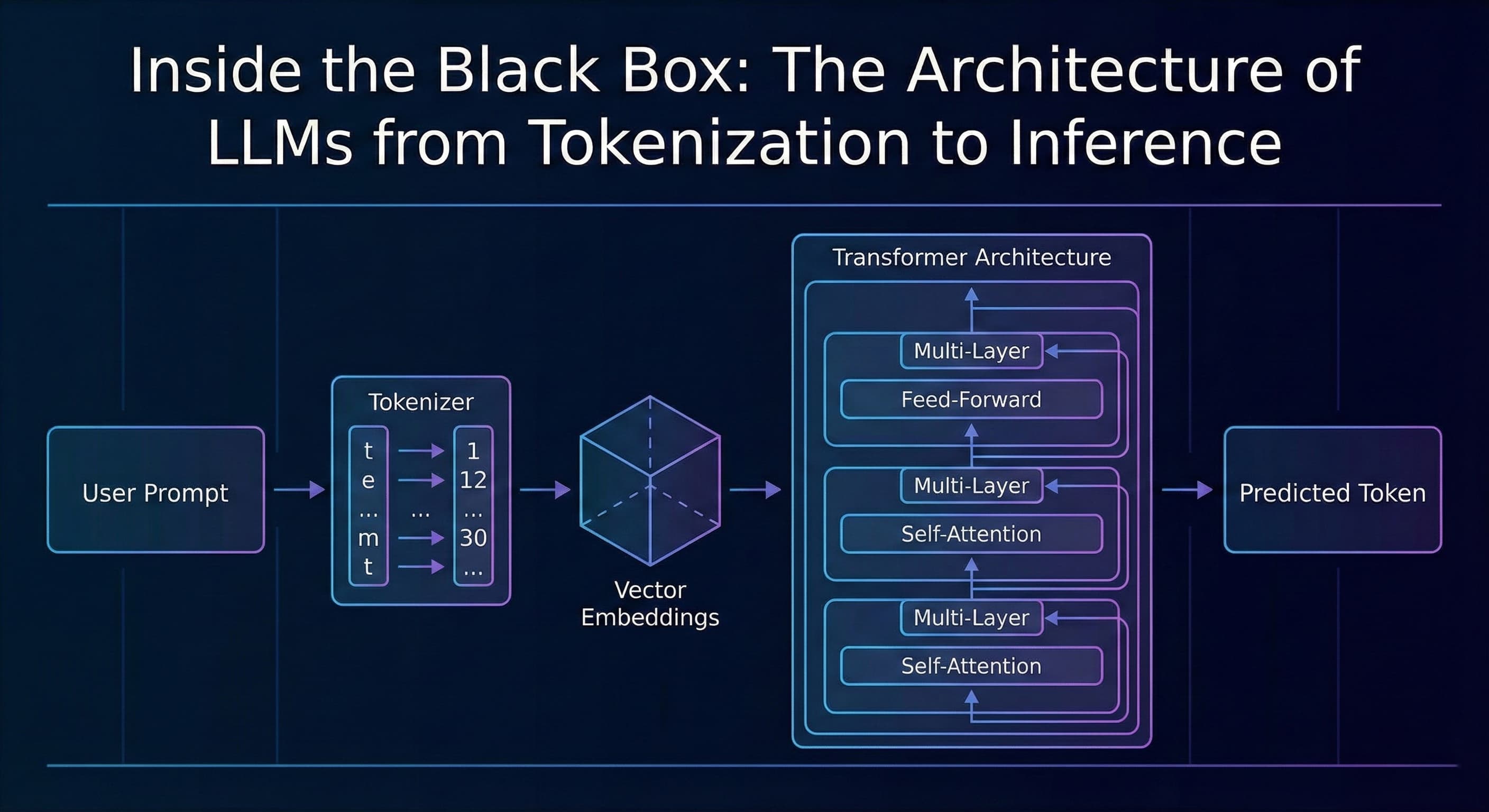
Inside the Black Box: The Architecture of LLMs from Tokenization to Inference
TL;DR Most developers treat AI as a "black box", we send a JSON payload to an API and get a string response. This article breaks down what happens inside that box: from tokenization and vector embeddings to the Transformer architecture and the probab...
Assistant API → Responses API: A Complete, Practical Migration Guide (with Next.js & Node examples)
TL;DR: The Responses API gives you simpler request/response semantics, richer streaming events (including function calls), first‑class tool use, and persistent conversations. This guide shows exactly how to migrate a production app—how to handle stre...
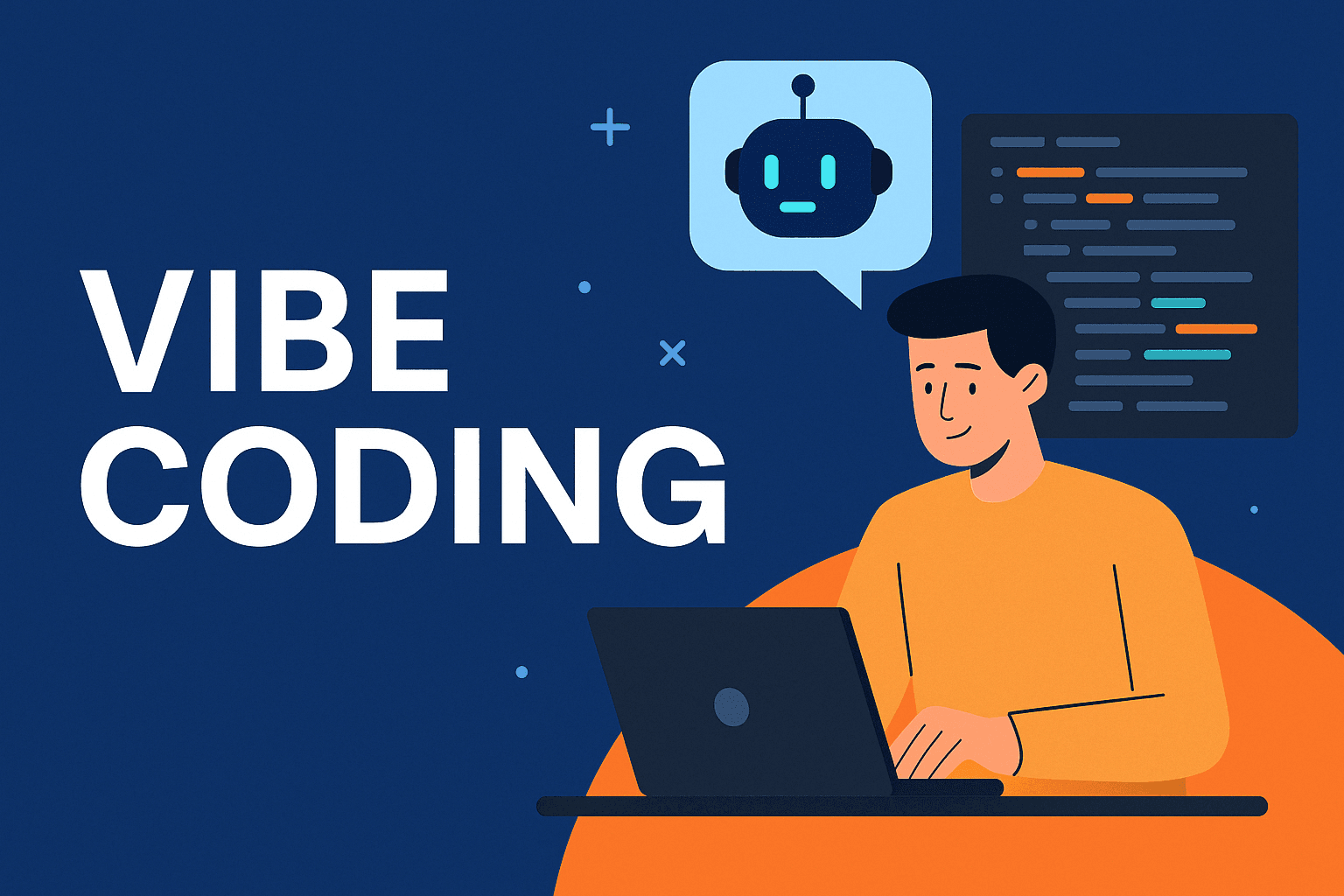
Vibe Coding: The Future Every Software Engineer Should Embrace
Introduction We have all seen how fast AI is evolving. From code generation to scaffolding entire modules, tools like ChatGPT, GitHub Copilot, and others are already part of many engineers daily routines. But one approach that stands out and is rapid...